Which one should you use?
Org Chart Studio
The pick when the org chart is the whole job.
- You want a free plan measured in people: charts up to 2,500.
You want import matching that helps resolve manager names instead of rejecting the row.
You want one-time export passes, with a year of clean exports for charts up to 250 people.
Organimi
The pick when org design outgrows a hierarchy.
- You chart by matrix or dotted line, which Premium adds.
- You want the chart to update from an HR system through a connector.
- You need SSO or shareable live links.
Org Chart Studio vs Organimi
| Feature | Org Chart Studio | Organimi Basic | Organimi Premium |
|---|---|---|---|
| Summary | |||
| Free plan | Yes (1 editable cloud chart; build to 2,500 people; watermarked PNG export free up to 25 people; CSV free) | Yes 25 employees, 1 admin, 1 chart | No 14-day trial only |
| Subscription | $8/month or $80/year for charts up to 250 people (optional; active paid access supports up to 100 stored charts) | $240/year for up to 250 people | $480/year for up to 250 people |
| One-time export passes | Yes (one-time, tiered by size and duration; optional subscriptions also available) | No | No |
| Max people per chart (self-serve) | 2,500 people per chart (default build ceiling; export-size tier is separate) | 2,500 people; larger plans by quote | 2,500 people; larger plans by quote |
| CSV and Excel import | Yes | Yes | Yes |
| Manager names matched despite typos | Yes | No (exact Manager ID field required) | No (same as Basic) |
| Editable PowerPoint export | Yes | No (PowerPoint export; native shape editing not advertised) | No (PowerPoint export; native shape editing not advertised) |
| Matrix and dotted-line reporting | Planned | No | Yes |
| Shareable links | Planned | Yes | Yes |
| SSO / SAML | No | No | Yes |
| Classification | System of capture | System of capture | System of capture, or sync |
| Ecosystem lock-in | None | None | None |
| Start without an account | Yes | No | No |
| Drag-and-drop editing | Yes | Yes | Yes |
| Automatic layout | Yes | Yes | Yes |
| Custom fields per person | Yes (up to 5) | Yes | Yes |
| Chart branding and themes | Yes | Yes | Yes |
| Undo and redo | Yes | No (theme revert and snapshots instead) | No (theme revert and snapshots instead) |
| HRIS export detected automatically | Planned | Partial (columns auto-suggested) | Partial (same as Basic) |
| Live HRIS sync (Workday, ADP, UKG, etc.) | No | No | Yes (BambooHR, Rippling, Personio) |
| Spreadsheet re-import with a review | Yes | Partial (updates chart; no change diff) | Partial (same as Basic) |
| Free exports | Yes (CSV free; watermarked PNG up to 25 people; clean PNG, PDF, and PowerPoint need a pass or subscription) | No (paid plan) | No |
| PNG export | Yes (watermarked free up to 25 people; clean PNG needs a pass or subscription) | Yes | Yes |
| Vector PDF export | Yes | Yes | Yes |
| CSV / data export | Yes | Yes | Yes |
| Embed on a page | Planned | Yes | Yes |
| Agent / MCP / API access | Yes (MCP, llms.txt, OpenAPI) | No | No (API is Enterprise only) |
| Position/vacancy management | Yes | Yes (vacant roles + hire-by date) | Yes |
| Workforce planning scenarios | Partial (separate charts with active paid access; custom cost fields; CSV export for spreadsheet totals; no built-in scenario comparison or cost rollups) | Yes (separate planning charts; custom cost fields) | Yes (separate planning charts; custom cost fields) |
| Admin/permission groups | No (no sharing, invite, or permission-management surface) | Yes | Yes |
| SOC 2 | No | No (no public attestation) | No (no public attestation) |
Layout and theming
Org Chart Studio applies one theme to the whole chart. Card styles, colors, typography, avatars, and connectors move together, and the theme stays with the chart when a new roster rebuilds it, so a quarterly refresh does not mean restyling a hundred boxes. Five spacing presets and five branch arrangements reshape the hierarchy without dragging anything.
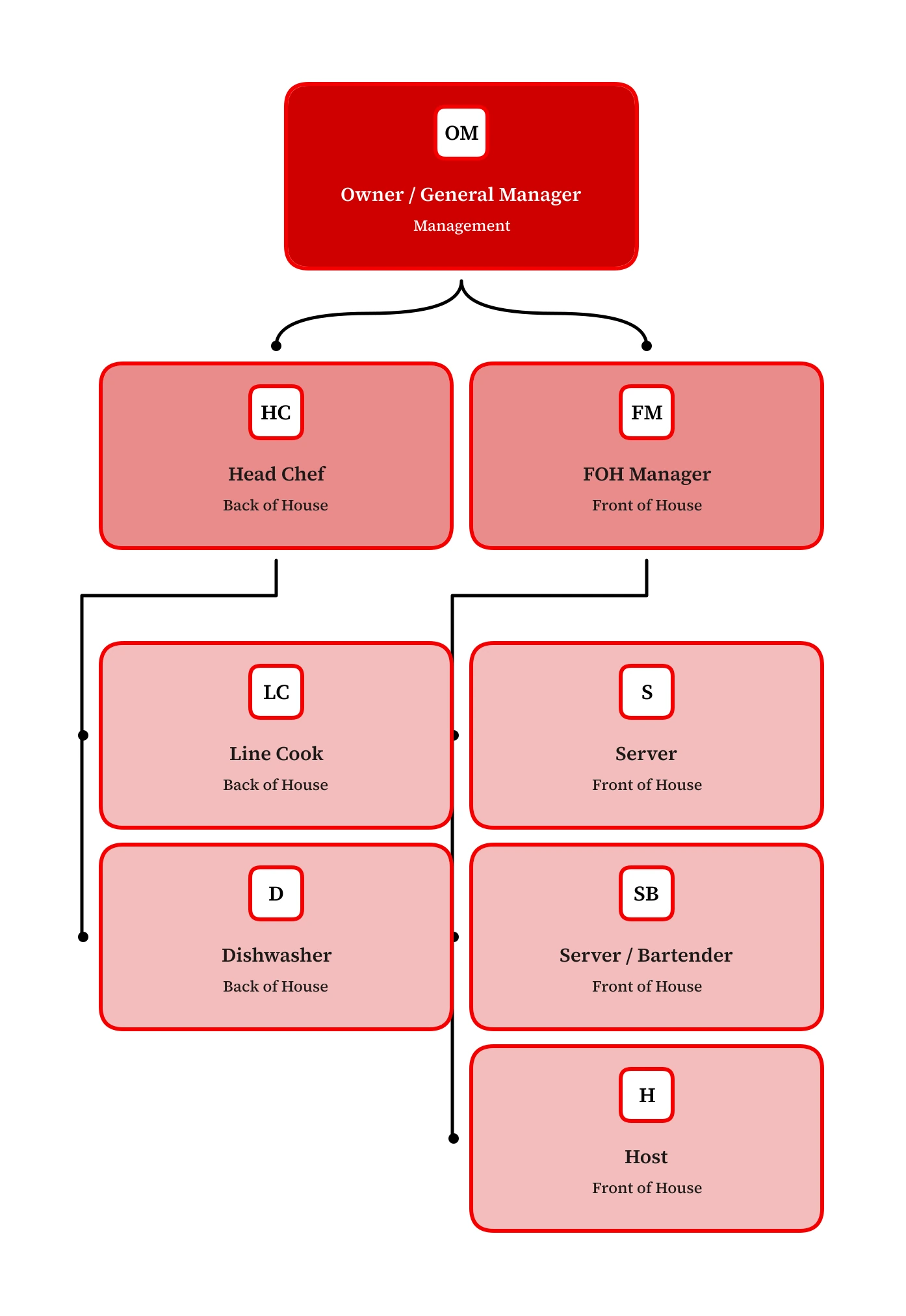
Bold color, consistent across every team
Org Chart Studio’s Cola theme brings bold red to this restaurant chart, with teams stacked beneath their managers and compact spacing that keeps the structure easy to follow.
Where Org Chart Studio is the better pick
Free to 2,500 people per chart. Start without an account, build to 2,500 people per chart, and save your chart to your account when you sign in. Organimi's free plan is real but small: up to 25 employees, 1 admin user, and 1 org chart, alongside a separate 14-day Premium trial. Watermarked PNG export is free here up to 25 people, and CSV export is free.
Import that expects a messy roster. Manager matching proposes the closest candidates with a confidence value instead of failing the row, and anything unresolved collects in a Needs manager list. Organimi's import builds the tree from a Unique ID and a Manager ID column, and the manager ID has to match an employee record exactly, with no typo-tolerant matching for manager names.
Re-import as a review. Update from spreadsheet groups added, removed, updated, and moved people and applies only the changes you select, with removals opt-in. Organimi’s documented re-upload flow updates the existing chart; its instructions do not include choosing changes individually.
Scenario planning with your own numbers. Model a proposed structure in a separate chart, add custom cost fields per person, and export CSV to total the budget in your spreadsheet.
Where Organimi is the better pick
Matrix and dotted-line reporting, on Premium. Organimi's Premium plan lists unlimited matrix and governance charts, while Basic lists unlimited traditional charts, so dotted-line structures are the reason to move up a tier. Org Chart Studio's matrix support is on the roadmap, not shipped.
HR connectors, on Premium. Premium includes HR-specific connectors such as BambooHR, Rippling, and Personio, with a switch to keep the chart in sync from the HR system. Org Chart Studio updates from a file you upload: export the roster, import it, and re-import when it changes.
Sharing, SSO, and administration. Organimi charts share through a view-only link and embed on a page. Premium adds SSO and unlimited admins, where Basic at 250 people includes 3. We ship neither today: link sharing is on the roadmap, and there is no SSO.
What each one costs
A year of clean exports here is $100 for charts up to 250 people, covering PNG, vector PDF, and editable PowerPoint, and the pass tiers scale to 2,500. See the full pass tiers or how passes work.
Organimi pricing is a subscription billed annually by headcount: $240 a year for Basic and $480 for Premium at up to 250 people charted, with matrix and governance charts, HR connectors, SSO, and unlimited admins on Premium. Above 2,500 people, both tiers are quote-only, and prices were checked against Organimi's pricing page on Sep 15, 2026.
Organimi alternatives
Organimi sits closest to platforms that pair an org chart with HR data, so ChartHop and Pingboard are the neighbouring comparisons. For general diagramming, Lucidchart and SmartDraw cover much more than org charts, and draw.io is the free pick. The wider field is in our org chart software comparison.
Frequently asked questions
Yes, within limits. Organimi's free plan covers organizations with up to 25 employees, with 1 admin user and 1 org chart, and a separate 14-day Premium trial runs alongside it. Org Chart Studio's free tier is larger: charts up to 2,500 people, saved to your account when you sign in, and watermarked PNG export free up to 25 people.
Organimi pricing is a subscription billed annually by headcount. Basic is $240 a year for up to 250 people charted, and Premium is $480 a year at the same size, adding matrix and governance charts, HR connectors, SSO, and unlimited admins. Above 2,500 people, both tiers are quote-only.
Yes. Org Chart Studio builds charts up to 2,500 people for free. A new free account includes one editable cloud chart; an active pass or subscription supports multiple stored charts. When a pass expires, choose one chart to keep editable and the others are read-only. See current chart and export options. Watermarked PNG export is free up to 25 people. Clean exports are optional one-time passes, and a monthly or annual subscription is available for anyone who prefers automatic renewal. If you would rather place every box yourself, draw.io is free too.
On Premium, through HR-specific connectors: BambooHR, Rippling, Personio, and others update the chart from the HR system. Basic uses CSV and Excel imports. Org Chart Studio updates from a file you upload: export the roster from your HR system, import it, and re-import to apply the changes you choose.
When you need matrix or dotted-line reporting, which Premium adds, when you want the chart synced from an HR system, or when procurement asks for SSO. For a bigger free tier, import matching that helps resolve manager names, and one-time export passes, Org Chart Studio is the better fit.