Which one should you use?
Org Chart Studio
The pick when the org chart is the whole job.
- You want a free plan measured in people: charts up to 2,500.
- You want the layout and the theme to hold across the whole chart.
- You want editable PowerPoint, PDF, and clean PNG exports on a one-time pass.
Lucidchart
The pick when the org chart is one diagram among many.
- You need flowcharts, wireframes, ERDs, or network diagrams on the same canvas.
- You want live sharing links, embeds, and comment threads.
- Your procurement process asks for SAML, enforceable sharing rules, or a SOC 2 report.
Org Chart Studio vs Lucidchart
| Feature | Org Chart Studio | Lucidchart |
|---|---|---|
| Summary | ||
| Start without an account | Yes | Partial (free tier, signup req'd) |
| Free plan | Yes (1 editable cloud chart; build to 2,500 people; watermarked PNG export free up to 25 people; CSV free) | Yes 3 editable documents, 75 shapes per document |
| Manager names matched despite typos | Yes | No (use matching manager names or IDs) |
| Spreadsheet re-import with a review | Yes | Partial (Enterprise: refresh, replace, or overlay a linked dataset) |
| Editable PowerPoint export | Yes | No (PowerPoint export; native shape editing not advertised) |
| Subscription | $8/month or $80/year for charts up to 250 people (optional; active paid access supports up to 100 stored charts) | $108/yr Individual; Team $10/user/mo billed annually |
| One-time export passes | Yes (one-time, tiered by size and duration; optional subscriptions also available) | No |
| Shareable links | Planned | Yes |
| SSO / SAML | No | Yes (Google/M365 all tiers; SAML Enterprise-only) |
| Classification | System of capture | System of capture (manual) |
| Ecosystem lock-in | None | None |
| Drag-and-drop editing | Yes | Yes |
| Automatic layout | Yes | Yes |
| Matrix and dotted-line reporting | Planned | Yes (manual) |
| Custom fields per person | Yes (up to 5) | Partial (manual) |
| Chart branding and themes | Yes | Yes |
| Undo and redo | Yes | Yes |
| CSV and Excel import | Yes | Yes (CSV/Excel/Sheets) |
| HRIS export detected automatically | Planned | No |
| Live HRIS sync (Workday, ADP, UKG, etc.) | No | No |
| Free exports | Yes (CSV free; watermarked PNG up to 25 people; clean PNG, PDF, and PowerPoint need a pass or subscription) | Yes (capped at 3 editable documents / 75 shapes per document) |
| PNG export | Yes (watermarked free up to 25 people; clean PNG needs a pass or subscription) | Yes |
| Vector PDF export | Yes | Yes |
| CSV / data export | Yes | Partial |
| Embed on a page | Planned | Yes |
| Agent / MCP / API access | Yes (MCP, llms.txt, OpenAPI) | Yes — Lucid's own Plans page lists a "Lucid MCP server," available Free through Enterprise |
| Max people per chart (self-serve) | 2,500 people per chart (default build ceiling; export-size tier is separate) | Limited by shape count |
| Position/vacancy management | Yes | No |
| Workforce planning scenarios | Partial (separate charts with active paid access; custom cost fields; CSV export for spreadsheet totals; no built-in scenario comparison or cost rollups) | No |
| Admin/permission groups | No (no sharing, invite, or permission-management surface) | Yes |
| SOC 2 | No | Yes |
Layout and theming
Org Chart Studio gives you a coordinated chart design in one theme: card styles, colors, typography, avatars, and connectors. Customize it once and reuse it across charts. That suits a company that wants its org charts to look consistent without styling each one from scratch.
Lucidchart offers layout styles and spacing controls, plus manual placement that keeps reports connected. Its flexibility is useful when you need to position a hierarchy alongside other diagrams; Org Chart Studio's focus is a reusable design for the org chart itself.
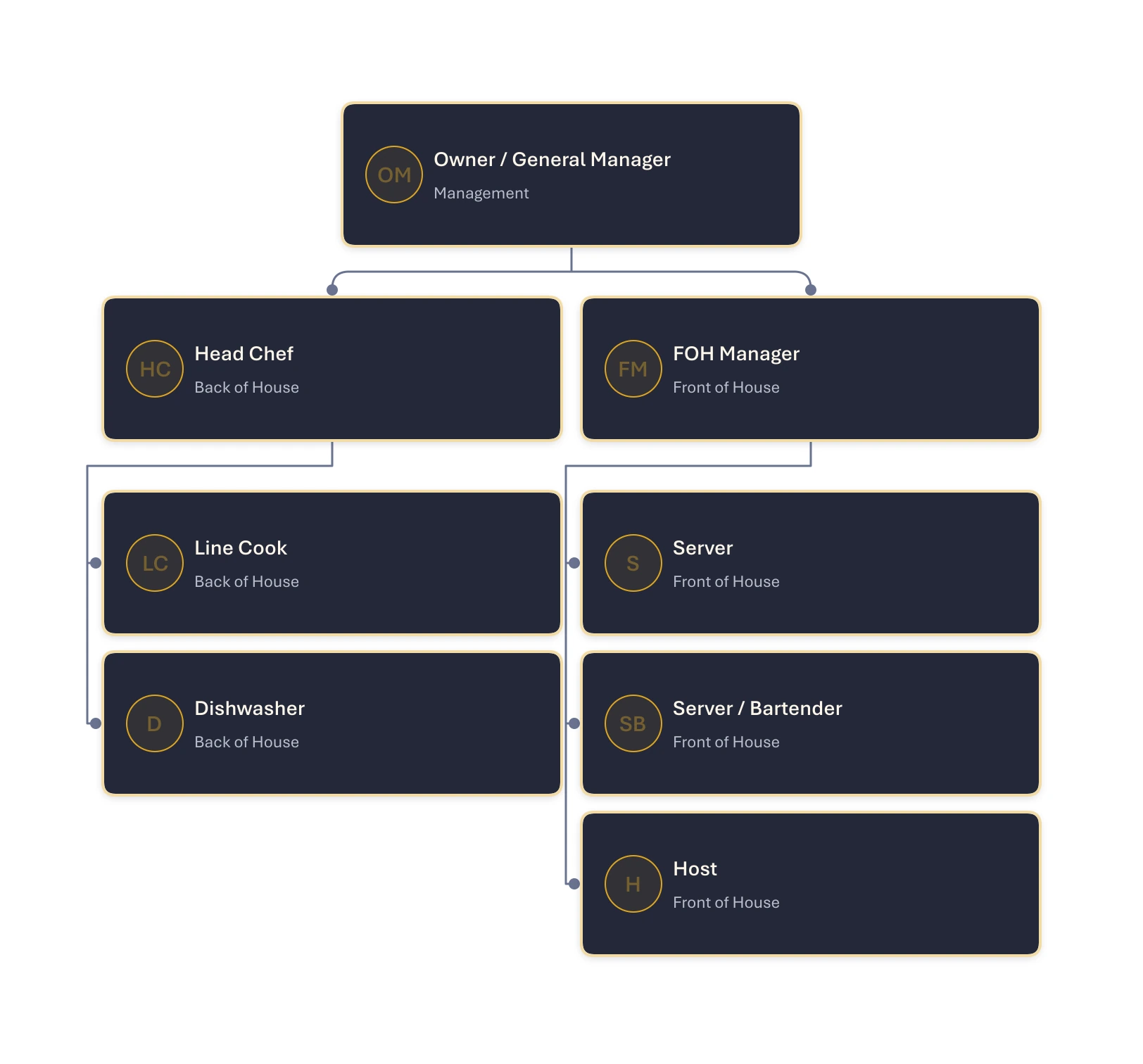
One theme, applied across the chart
Org Chart Studio’s Midnight theme, with teams stacked neatly beneath their managers and compact spacing that keeps the whole chart easy to scan.
Where Org Chart Studio is the better pick
A free plan sized in people, not shapes. Build to 2,500 people per chart, save your chart once you sign in, and start without an account. Lucidchart's free plan limits editable documents, and its support documentation says Free accounts cannot edit a document with more than 60 objects. That makes it a small-diagram plan rather than a practical free option for a large org chart. Watermarked PNG export here is free up to 25 people.
Import that handles real rosters. Manager matching proposes the closest candidates with a confidence value instead of failing the row, and anything unresolved collects in a Needs manager list.
Re-import as a review. Update from spreadsheet groups added, removed, updated, and moved people and applies only the changes you select, with removals opt-in. Lucidchart can refresh or replace data only on Enterprise and only from a linked source; a static CSV or Excel import cannot be refreshed.
An editable PowerPoint. The PPTX export is shapes and native text, so the deck survives a late edit. Lucidchart can export a presentation to PowerPoint, but it does not advertise native editing of the exported shapes. Studio's shapes and text stay editable in PowerPoint.
Where Lucidchart is the better pick
Breadth. Flowcharts, wireframes, ERDs, network diagrams, a large template library, and integrations beyond people data. If your week holds a process map and an org chart, one tool covers both.
Import on every plan. CSV, Excel, and Google Sheets import is included on Free, and the hierarchy builds itself onto its own pages. The trade-off is exactness: every supervisor has to match an employee by exact name or ID, every supervisor has to appear as an employee row, and near misses are not suggested. Lucidchart's own import guidance recommends keeping datasets under 2,000 rows.
One seat covers every diagram. Individual is $9 per month billed annually. At $108 a year it removes the document and object limits, and the same editor works on the flowchart next to the org chart.
What each one costs
Org Chart Studio is free to build with, up to 2,500 people per chart, and charges for clean exports. Watermarked PNG export is free up to 25 people, and CSV export is always free. A pass is a one-time purchase for a day, a week, a month, or a year, priced by chart size: $1 covers a day at 250 people, and a day at 2,500 people is $25. While it is active, a pass covers clean PNG, PDF, and PowerPoint exports up to its people limit. See the full pass tiers or how passes work.
Lucidchart bills per editor. Its Free plan limits editable documents, and Lucid's support documentation says Free accounts cannot edit a document with more than 60 objects. Individual was listed at $9 per month billed annually and Team at $10 per user per month billed annually, with monthly billing at a higher rate; those prices were checked against Lucidchart's pricing page on Sep 15, 2026.
One Lucidchart Individual seat at $108 a year costs less than our annual passes above 250 people, and it is the better buy if you work in the chart every month.
Sharing, admin, and compliance
This is where Lucidchart is clearly ahead. Live links, embeds, comments, and real-time co-editing ship there, revision history comes with Team, and Enterprise adds SAML and enforceable sharing restrictions. On our side, sharing via link is roadmap and not shipped, and there is no embed, no SSO, no commenting, and no SOC 2. If your procurement process requires those, they are requirements, and Lucidchart meets them.
Lucidchart alternatives
If you want the wider field rather than a head-to-head, draw.io is the zero-budget pick, the Visio alternative covers Microsoft shops, and the org chart software comparison has the rest. Competitors are a slightly different question: in diagramming, Lucidchart's rivals are platforms like Miro and Visio, while the purpose-built org chart shortlist is narrower.
Frequently asked questions
Yes. Org Chart Studio builds charts up to 2,500 people for free. A new free account includes one editable cloud chart; an active pass or subscription supports multiple stored charts. When a pass expires, choose one chart to keep editable and the others are read-only. See current chart and export options. Watermarked PNG export is free up to 25 people. Clean exports are a one-time pass from $1, and passes never renew; an optional monthly or annual subscription is available. If you would rather place every box yourself, draw.io is free to use. Lucidchart's free plan also supports org-chart imports, with limits on editable documents and a 60-object cap for Free accounts.
It has a free tier with limits on editable documents and objects per document; Lucid's support documentation says Free accounts cannot edit a document with more than 60 objects. The free tier also includes 100 templates, commenting, and org chart data import. Individual is $9 per month billed annually.
Individual is $9 per month billed annually and Team is $10 per user, per month billed annually. Enterprise is quoted. Cost scales with how many people need an editor seat rather than how large the chart is, and monthly billing is available at a higher rate.
Yes. CSV, Excel, and Google Sheets import on every plan including Free, and the hierarchy is built for you. The catch is exactness: every supervisor must be matched by exact name or employee ID, every supervisor has to appear as an employee row, and near misses are not suggested. Refresh and replacement are Enterprise-only, so the free plan's import is a one-time build.
It depends on the job. For a purpose-built org chart you maintain and export pass by pass, Org Chart Studio. For flowcharts and live collaboration on one canvas, Lucidchart earns the subscription. For zero budget, draw.io. The wider field, including the Visio alternative for Microsoft shops, is in our org chart software comparison.